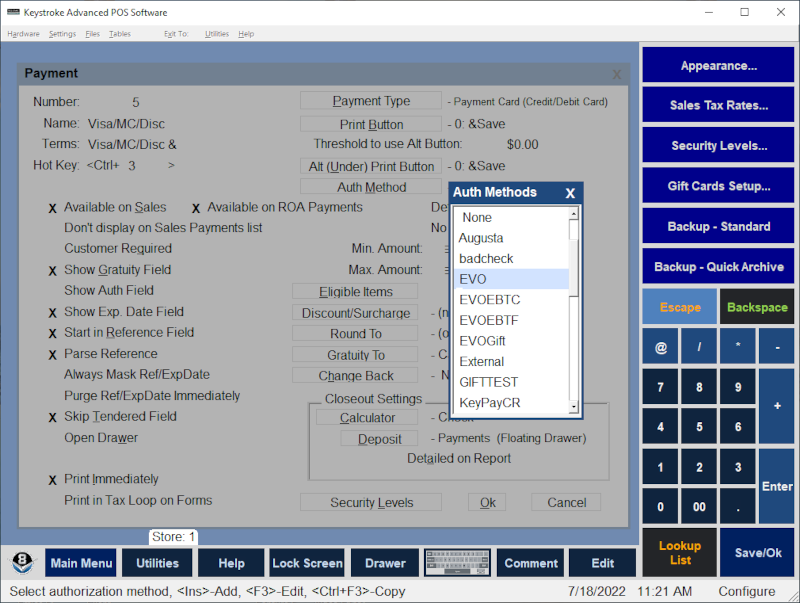
The Sales Payment Types Auth Method setting defines the Authorization Method Type to be used to authorize the payment.
To set the Auth Method for a Sales Payment Type:
- Select Sales Payment Types from the Configuration Manager Tables Menu.
- Select the Payment Type from the list.
- Press [Enter] to display the Payment Type Settings screen.
- Select the Auth Method button and press [Enter] or click on Auth Method with the mouse.
- Select the Auth Method from the list of available Auth Methods and press [Enter] to choose it (or [F3] to edit it).
See:
Sales Payment Types - Settings
Configuration Manager Contents