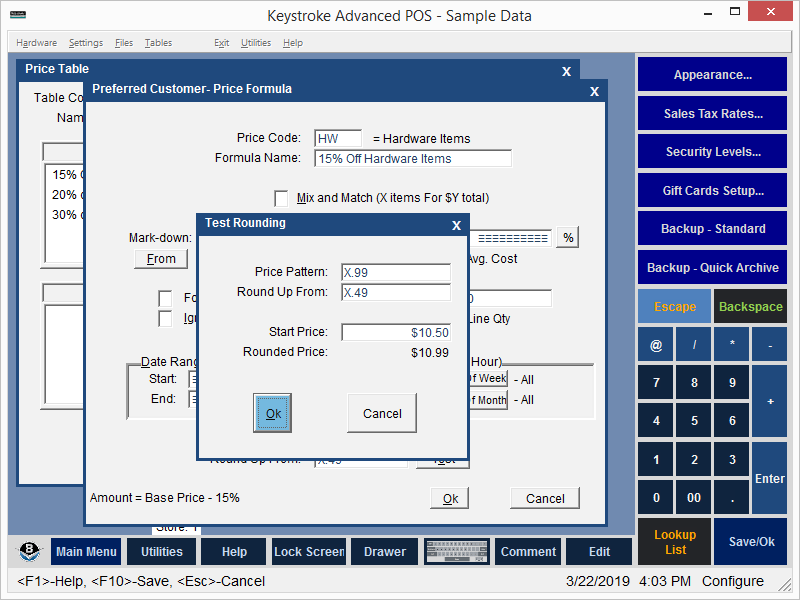
The Test button is used to test the current Price Pattern / Round Up From settings.
Price Pattern - Displays the current Price Pattern from the Price Formula screen. A new Price Pattern may be entered in this field to test it.
Round Up From - Displays the current Round Up From from the Price Formula screen. A new Round Up From may be entered in this field to test it.
Start Price - Enter a starting price and press [Enter] to test. The default Start Price is $10.00.
Rounded Price - Displays the result based on the current Price Pattern, Round Up From, and Start Price settings.
See:
Price Tables - General Information
Configuration Manager Contents