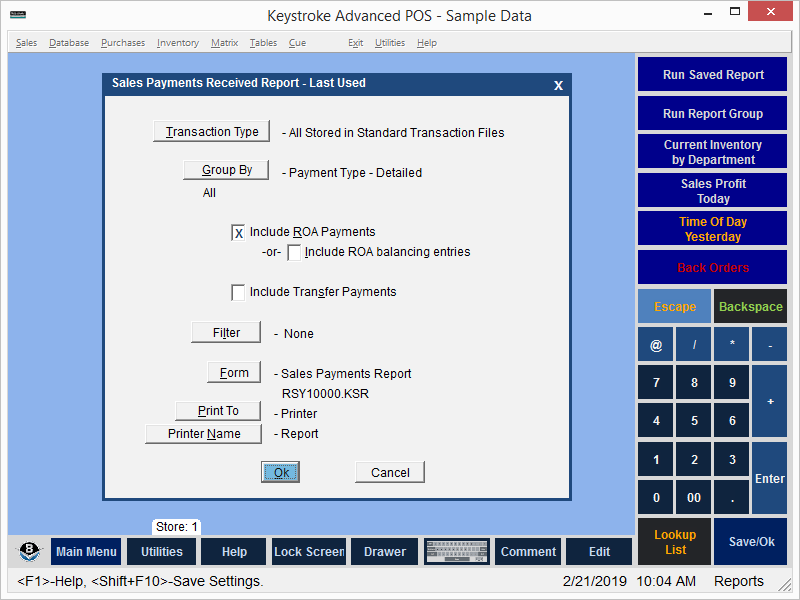
Transaction Type - The Transaction Type option is used to limit the report to payments entered only on the selected Transaction Type.
Group By - Displays the Group By Options Screen and determines if the report is grouped and displays group sub- totals.
Include ROA Payments - Include ROA Payments when running the report.
Include ROA Balancing Entries - Include ROA Balancing Entries when running the report.
Include Transfer Payments - Include Transfer Payments when running the report.
Filter - Filters are used to select items for the report.
Form - Lists the Forms available for use with the current report.
Print To - Print to a Screen, Printer, or File.
See:
Report Manager Contents